SAP S/4HANA Transition Framework: A Roadmap Guide
Discover seamless SAP S/4HANA transition in this guide. Explore pathways from greenfield to conversion, boosting agility and innovation.
Netflix Checker by xRisky v2 is a third-party automated utility categorized as a "cracking tool" or "credential stuffer". It is designed to take a list of usernames and passwords (a "combo-list") and test them against Netflix's login system to identify active subscriptions. ⚠️ Security and Legal Warning
: If you suspect your own account has been hacked, you should immediately change your password and select "Sign Out of All Devices". netflix checker by xrisky v2 best
: Ensure you are using a unique, 8+ character password to prevent your own credentials from appearing in the "combos" these checkers use. Netflix Checker by xRisky v2 is a third-party
: When using such tools, it's essential to be cautious. Some tools might claim to offer free Netflix accounts or promise to bypass normal subscription procedures. Be aware that using unofficial tools can pose risks to your device (e.g., malware) and may violate Netflix's terms of service. Security Check : If you suspect your own
: Protect your own accounts by using strong, unique passwords and enabling multi-factor authentication where available. secure your own Netflix account against these types of automated attacks? bulk-netflix-checker · GitHub Topics
The Netflix Checker by xrisky v2 is a specialized automated tool designed to verify the status of Netflix account credentials. Unlike many generic checkers, xrisky v2 was built with a specific focus on the Netflix platform’s unique security protocols. It allows users to process large lists of credentials (combos) to determine which accounts are active, which are expired, and which have specific plan details (like UHD, Premium, or Standard). Key Features That Make it "The Best"

Discover seamless SAP S/4HANA transition in this guide. Explore pathways from greenfield to conversion, boosting agility and innovation.
Learn how to simplify your database migration process with SAP DMO (Database Migration Option) of SUM, and ensure a seamless transition to your new system.
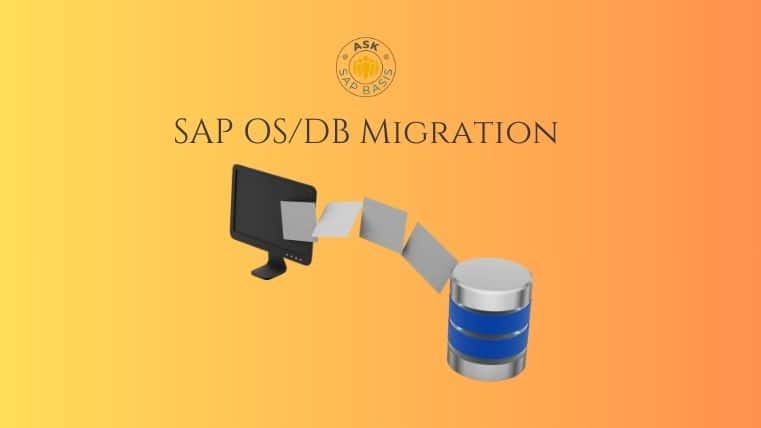
Migrating your SAP system? Whether you’re a beginner or experienced, learn the basics of SAP OS DB migration with ease through our step-by-step guide.

Introduction In the world of enterprise IT, SAP OS/DB migration isn’t just a routine technical upgrade — it’s a career-defining milestone. Whether you’re dealing with a homogeneous migration (same OS and DB) or a heterogeneous migration (different OS or DB), these projects are high-stakes, business-critical,…
Explore the power of SAP Landscape Transformation (SLT) Replication Server and its role in seamless data replication and transformation within your SAP ecosystem. Learn how SLT enhances data integration and supports efficient business processes.

Discover SAP HANA replication strategies in simple terms. Get practical insights for high availability and data reliability in your digital journey.